Built for Enterprise-Scale Catalogs (10M+ SKUs)
PIM Migration Services
PIM Migration Services help businesses migrate product data from older platforms into a modern PIM. Products, categories, images, and workflows are brought together in one clear and organized place.





Success Stories
See how businesses use UnoPIM to connect systems and manage product data from one place.

BeforeSales
BeforeSales used a PIM solution to keep product data in one place. Manual work was reduced, and daily tasks became easier.

Batitrade
Batitrade implemented a PIM to centralize product information and improve data accuracy.

DataConnect
DataConnect used a PIM solution to manage product data better. Errors were reduced, and updates across systems became simple.
Platforms We Migrate From
We help businesses migrate product data from leading PIM platforms to UnoPIM. Each migration is handled carefully to ensure data accuracy and maintain a well structured format.

Akeneo to UnoPIM
Migrate product data from Akeneo into UnoPIM while keeping attributes, categories, and assets intact.

Pimcore to UnoPIM
Migrate product data from Akeneo into UnoPIM while keeping attributes, categories, and assets intact.

Salsify to UnoPIM
Migrate product content from Salsify into UnoPIM to centralize data and improve consistency across channels.

Plytix to UnoPIM
Migrate product data from Plytix into UnoPIM to centralize information and improve data clarity.

inRiver to UnoPIM
Migrate structured product data from inRiver into UnoPIM while keeping attributes and relationships intact.

Bluestone to UnoPIM
Transfer product catalogs from Bluestone into UnoPIM for better control and consistent product information.
What PIM Migration Services Offer
PIM migration services help keep product data accurate and well organized during migration. This allows teams to continue their daily work without interruptions.

Migration Planning Support
Provides guidance and oversight so migration decisions are clear and aligned with business goals.
- Helps define what should be migrated and why
- Reduces risk by planning around real business needs
- Keeps migration aligned with long term data goals

Data Quality Improvement
Ensures product information is trustworthy before and after migration.
- Improves accuracy and consistency of information
- Removes issues that affect daily usage
- Creates a strong data foundation for future updates

Data Structure Alignment
Ensures information works well inside the PIM after migration.
- Aligns information with the PIM data model
- Keeps categories and attributes easy to manage
- Supports long term usability, not just migration

Secure Data Transfer Support
Handles the movement of information with minimal disruption.
- Keep information accurate during transfer
- Reduces downtime for teams
- Allow work to continue smoothly

Migration Validation Support
Confirms the PIM is ready for business use.
- Make sure information is complete and usable
- Reduces issues after launch
- Helps teams start using the PIM with confidence

Post Migration Optimization
Continues support after migration to improve daily usage.
- Fix issues found after going live
- Improves performance and usability over time
- Supports long term success with the PIM
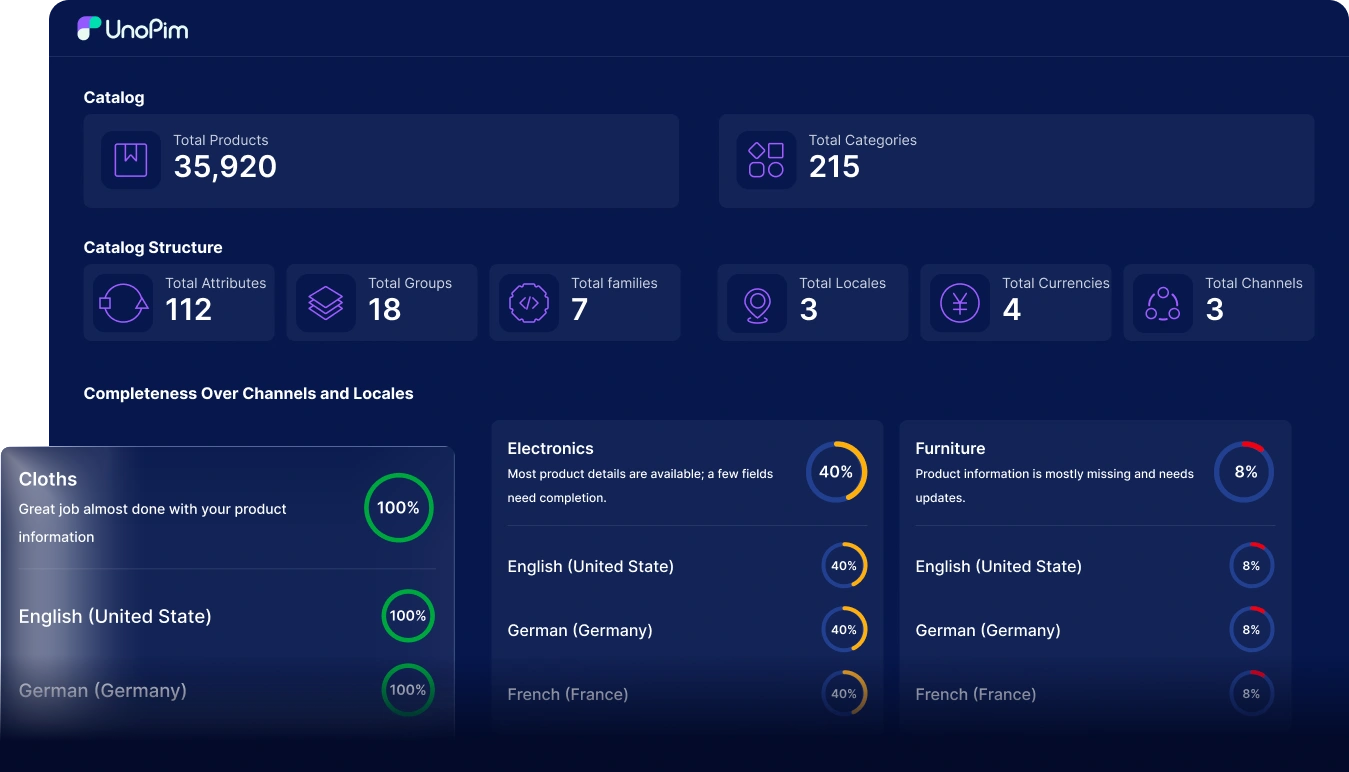
Benefits of PIM Migration

Centralized Product Data
All product data stays in one PIM system. Teams work with the same information everywhere.
Better Data Accuracy
Duplicate and incorrect data are removed. Product details stay clean and reliable.

Faster Product Updates
Product changes are easier to manage. Updates reach all channels faster.

Reduced Manual Work
Less manual data handling is needed. Teams save time and avoid errors.
Scalable Data Setup
The PIM grows with the business. New products and channels are added easily.
PIM Migration Process
We follow a clear and structured process to move product data into a PIM smoothly and safely.
1. Planning
Review existing product data, understand business needs, and define clear migration goals.
2. Data Validation
Audit product data and standardize the formats before migration.
3. Data Mapping
Align existing data fields with the new PIM structure to ensure consistency.
4. Migration
Transfer product information into the PIM while maintaining accuracy and completeness.
5. Testing
Confirm migrated data to confirm it is correct and ready for use.
6. Go Live
Launch the PIM in a controlled way and provide support after migration.
Industries we Serve
We work with businesses that manage many products and large amounts of data.

Retail and eCommerce
Manage large product catalogs and keep product information the same across all online stores.

Fashion and Apparel
Handle seasonal products, size and color options, and frequent changes with clean data.

Home and Furniture
Manage product details like sizes, materials, and images without mistakes.

Manufacturing
Keep technical product information correct and connected with ERP platforms.

Electronics and Technology
Manage detailed product specifications and frequent updates more easily.

FMCG and Consumer Goods
Keep product data updated across platforms while reducing manual work.

B2B and Wholesale
Share accurate product data with partners and resellers.

Healthcare and Pharmaceuticals
Manage regulated product data clearly while meeting requirements.
Services We Offer
UnoPIM services help businesses manage PIM smoothly with minimal downtime and long term reliability. We ensure the platform stays stable, easy to use, and ready to scale.

Support Planning
We review your PIM setup and create a clear plan to keep it running well.
This helps prevent issues and supports consistent daily operations.
Technical Support
Our experts quickly resolve setup issues and technical errors to keep product data accurate.
This ensures product information flows correctly across all channels.
Training Support
Teams receive simple guidance and hands on training to use PIM with confidence.
This improves adoption and helps teams work more efficiently.
Ongoing Maintenance
Regular checks and updates keep UnoPIM stable and easy to use every day.
This supports reliable performance as data and usage grow.

Company Behind UnoPim
As we know Webkul has a rich history of delivering high quality, scalable, and efficient
products. These products cater to diverse business needs around the globe.
Frequently Asked Questions
PIM migration moves all product information into one system. This helps teams use the same product data across all platforms.
Product data is reviewed, cleaned, and aligned during migration. This helps ensure the information stays accurate and easy to trust.
Product attributes and categories are matched to the new PIM setup. They are adjusted so they work properly in the new system.
Yes, PIM migration supports product data in different languages and regions. Language and region details are organized properly, so the data stays clear and easy to manage.
After migration, product data is stored in one place. This reduces repeated manual work and lowers the chance of errors.

PIM Migration Services
Migrate your product data from older platforms into a modern PIM. Our PIM Migration Services help ensure data stays accurate, organized, and ready to use from day one.
