UnoPim Enhanced Dashboard is available in the release notes of UnoPim v2.0.0.
UnoPim Enhanced Dashboard provides us many important features together on one screen.
It provides you with a quick understanding of what is happening in your system and what needs your attention.
You can manage products, check catalog details, run import or export, and track recent activity , all from here. You don’t need to move to different sections again and again.
Everything is visible in a simple layout. You can understand what is happening in your PIM from a single dashboard.
This guide explains each section of the dashboard in a clear and simple way.

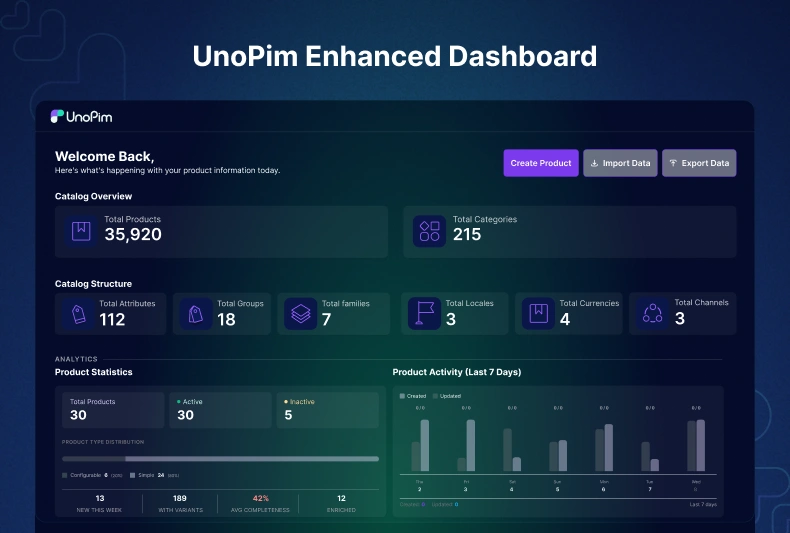
What you see on the Dashboard
When you open UnoPim, this is the first screen.
From this single dashboard, you can:
- Create new products
- Import or export data
- Check catalog summary
- See product statistics
- Track recent updates
- Monitor data transfer jobs
It works like a control panel for your entire PIM. The dashboard is not just for viewing data.
It helps you understand:
- What is completed
- What needs attention
- What was recently updated
For example:
- Low completeness is highlighted
- Channel readiness is visible
- Product activity is shown for the last 7 days
You get a quick idea of your system status.
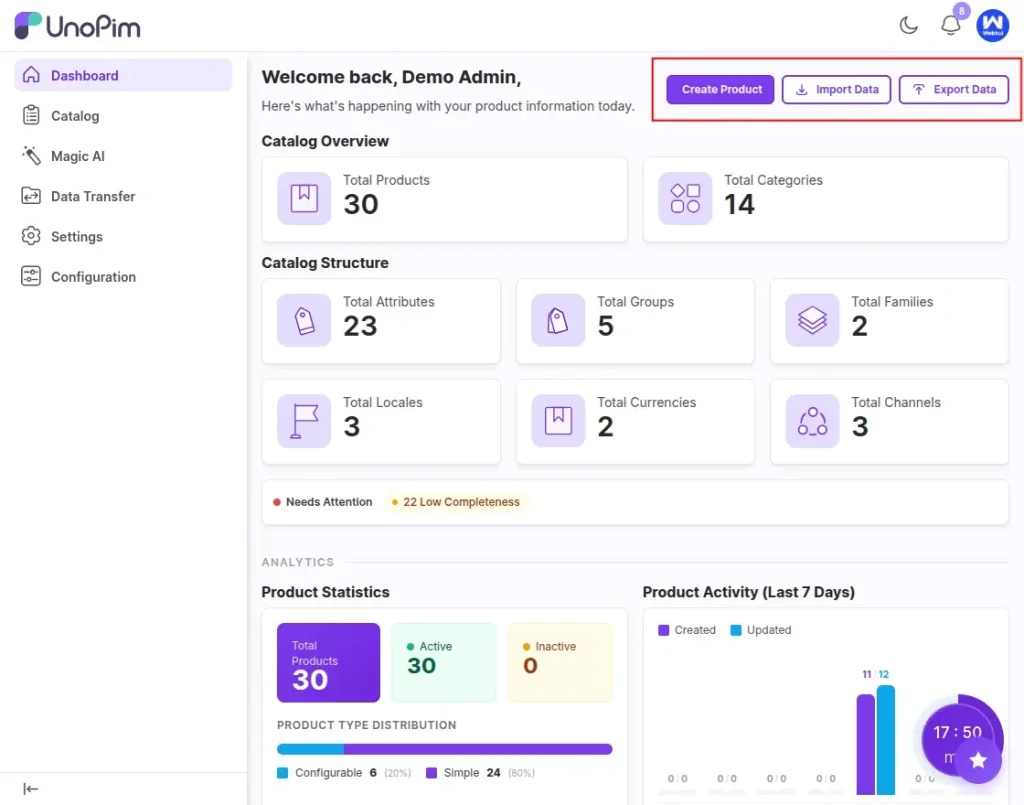
Quick Buttons
At the top, you get three main buttons:
- Create Product
- Import Data
- Export Data
These are the most used actions.
You don’t need to go to different pages. Just click and start.

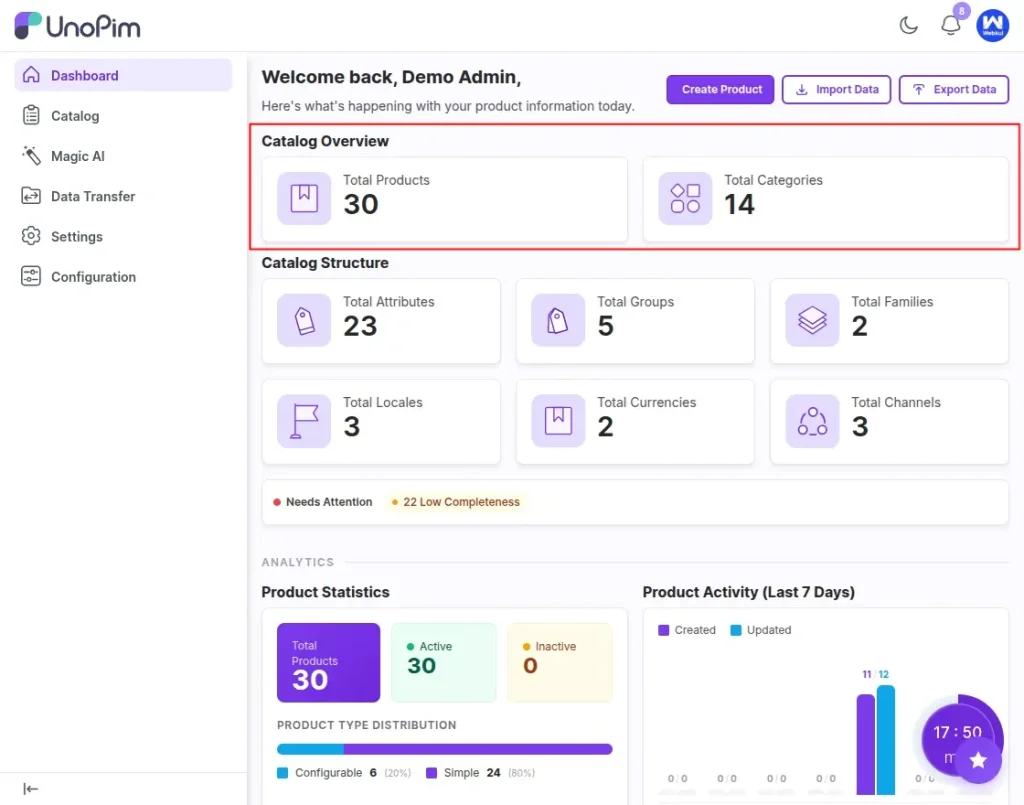
Catalog Overview
This section shows the status of products and categories:
- Total products and Categories
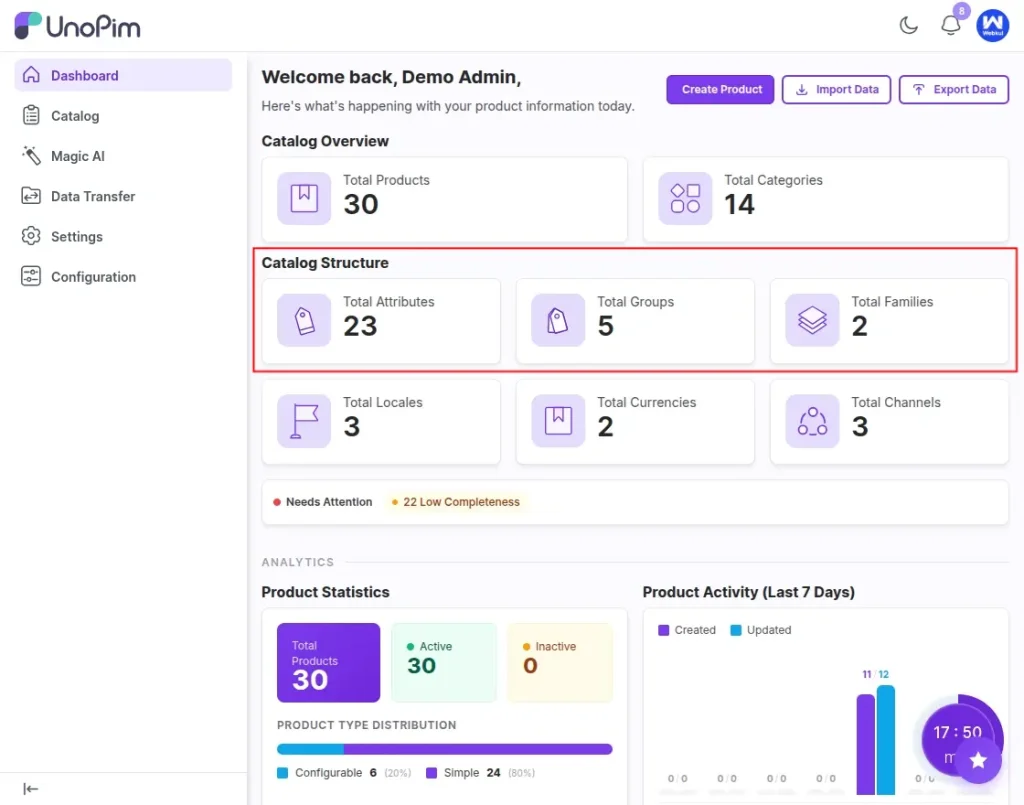
Catalog Structure
This shows how your data is arranged.
- Total Attributes
- Total Groups
- Total Families
- Total Locales
- Total Currencies
- Total Channels
Needs Attention
It displays the total no of product which need improvement, highlighting products that need more information right .
Analytics
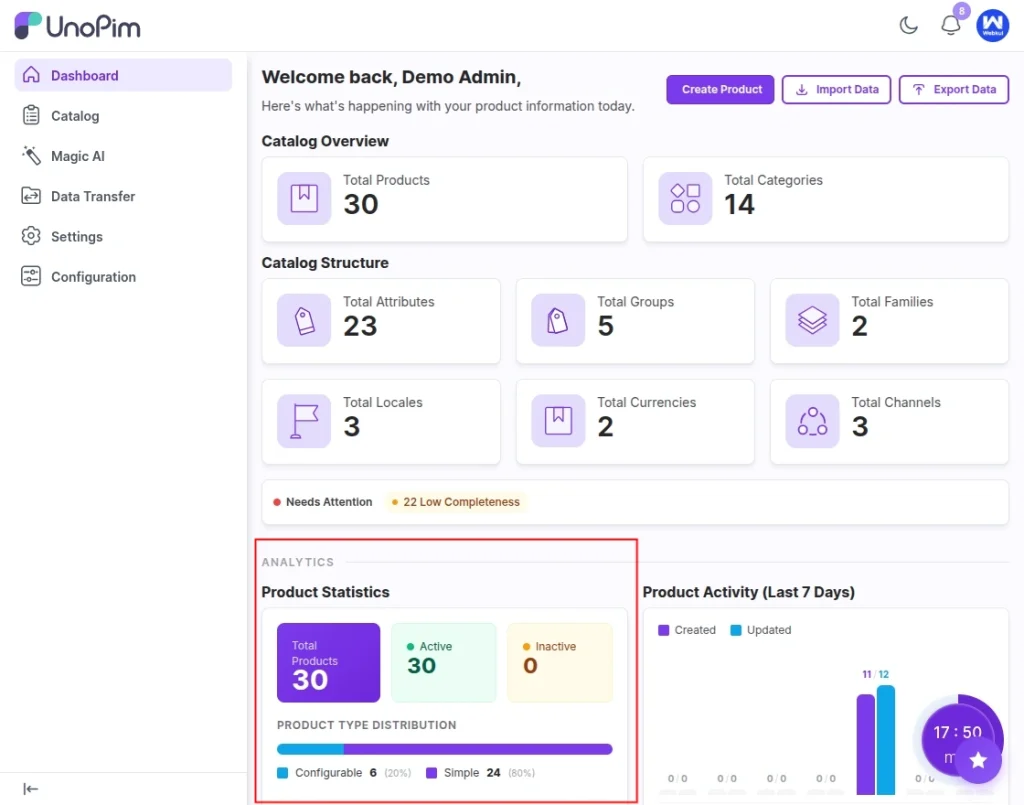
This part shows simple analytics on the product
- Product type distribution shows number of configurable and simple product in unopim .
- Data distribution on basis of New this week ,with varaints, average completeness, enriched number
Product Activity (Last 7 Days)
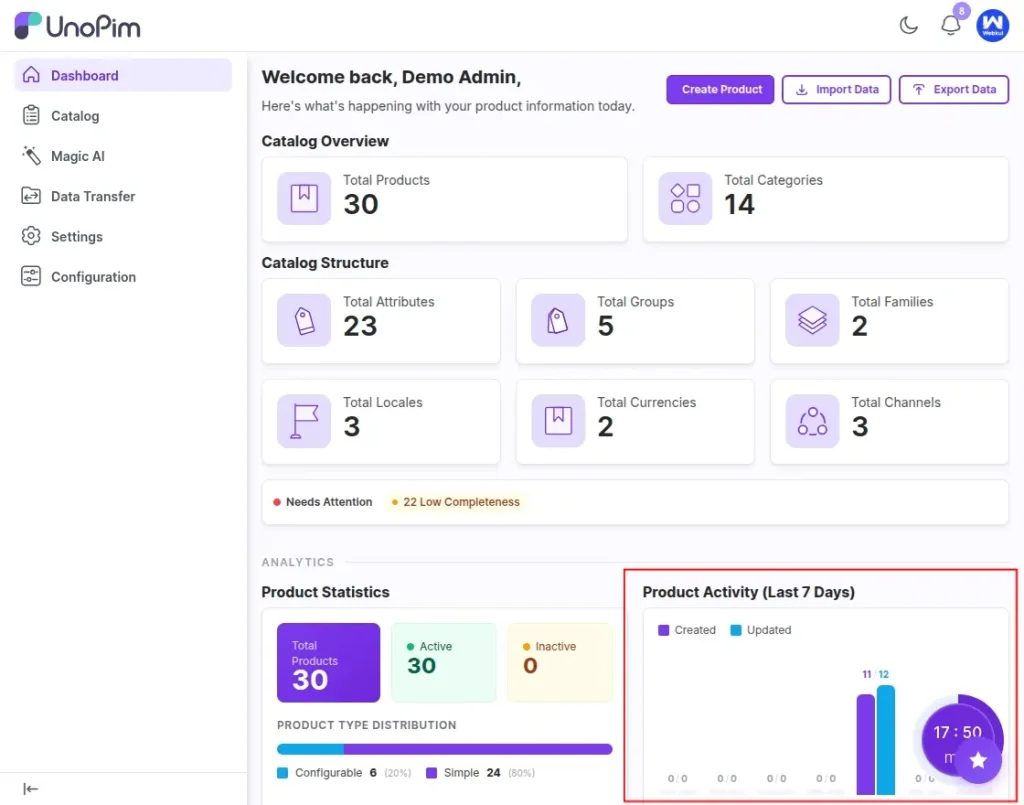
You can see product actiivity for last 7 days.
- Products created
- Products updated
- Day-wise activity
This helps you track daily work.
Channel Readiness
This is important if you sell on multiple channels.
You can check:
- Product completeness
- Channel readiness
- Missing data
If something is incomplete, you will fix it without any more data filter from each page.just dashbaord show you all page.Avoid publishing incomplete product data.
Operations
This section shows:
Recent Activity and Data Transfer
Recent Activity : This shows all actions done by users.
Example:
- catalog/Product created
- catalog/Product updated
- role/user created or updated
You can track who did what.
Very useful for teams.
This ensures transparency and control over backend operations.
Data Transfer : This shows all jobs executed in unopim. also displayed total number of validated/failed/completed
so easily track
- Import jobs
- Export jobs
You will have idea of your pim job execution from dashboard.
Smart Agent Tool (Quick Actions from Dashboard)
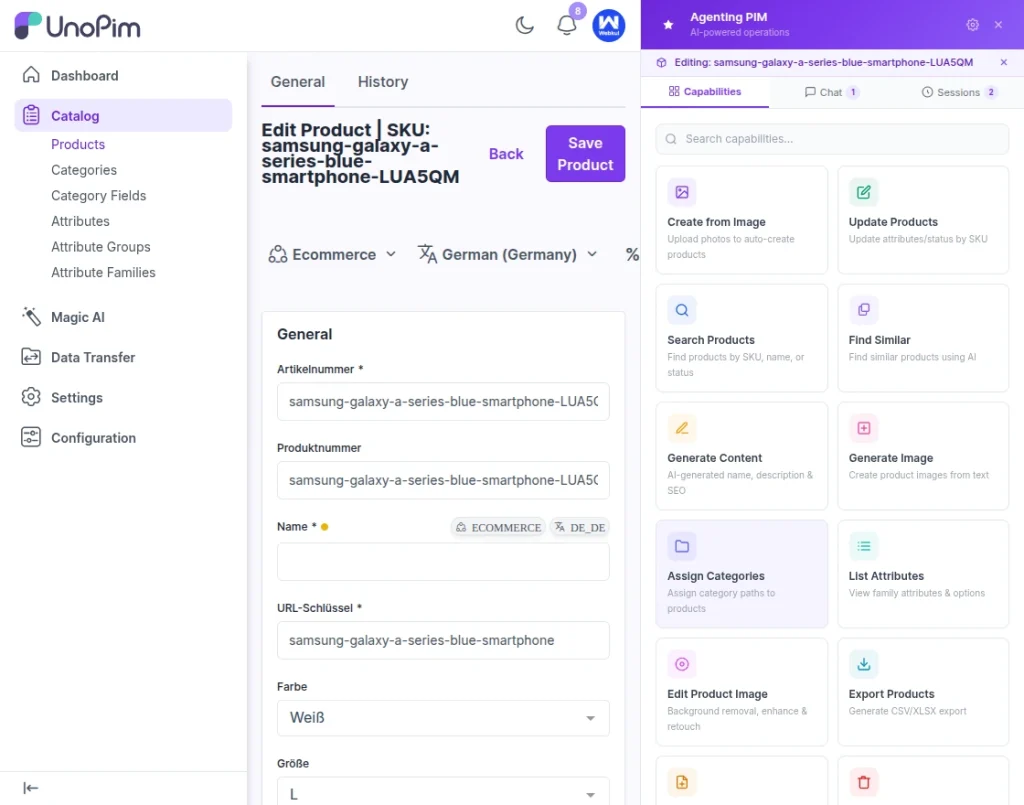
On the dashboard, you will also notice a floating icon at the bottom right corner. This is the agentic tool.
What This Tool Does
This tool helps you perform actions quickly without navigating pages.
It supports 30+ actions inside UnoPim, such as:
- Creating products
- Running import/export
- Managing catalog data
- Triggering operations
- Accessing different sections faster
AI-Powered with Magic AI
This tool works with UnoPim’s Magic AI system.
You can go to Magic AI and configure the model.
UnoPim supports several AI providers like OpenAI, Anthropic, Gemini, Groq, Ollama, xAI (Groq), Mistral, DeepSeek, Azure OpenAI, OpenRouter, and more .
You can choose the one that fits your needs and use it with the agent.
Why This Dashboard Helps
It saves time. You don’t need to naviagate on pages and filter .Ideal for auditing, debugging, and team collaboration.
You get:
- Clear view
- Quick actions
- Easy tracking
Work becomes simple. UnoPim is open source. You can use it freely. You can customize it.
Final Words
The Enhanced Dashboard in UnoPim v2.0.0 provides everything you need into one clear, actionable view. From managing products to tracking activity and running data operations, it simplifies daily workflows and reduces the need to switch between pages. With quick actions and AI-powered assistance, it helps you stay efficient, organized, and in control of your PIM system.
We hope this guide helped you better understand the Enhanced Dashboard and how it can simplify your current UnoPim workflow.
If you have any questions or run into any challenges, feel free to drop a comment below—we’re always here to help you get the most out of your PIM.
Need help ? Get in touch with our team—we’d be happy to support your growth journey. Contact our team
Try It Yourself: Visit the demo and explore how the Enhanced Dashboard simplifies your PIM workflow in real time.