In eCommerce, maintaining accurate and complete product data is vital for delivering a consistent and engaging customer experience. Missing or incomplete information can lead to confusion, poor SEO performance, and low conversion rates.
UnoPim simplifies this challenge with its Product Completeness Calculation feature, ensuring every product meets quality standards across all channels and locales, automatically.
We will explore how to improve product data completeness with UnoPim and help teams maintain accurate, consistent, and enriched product information.
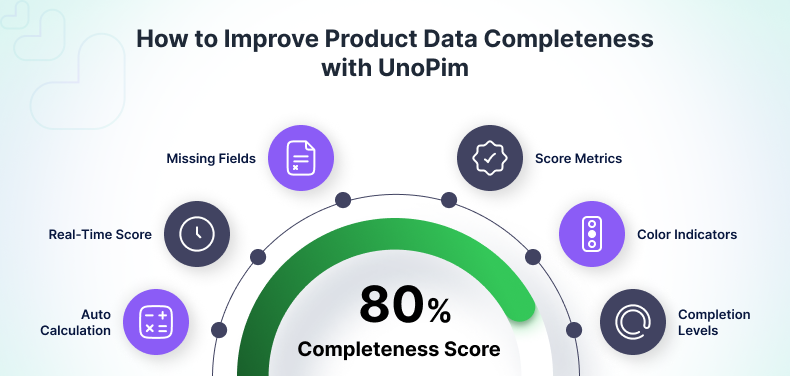
What Is Product Data Completeness in UnoPim?
In PIM(Product Information Management) systems, Product Data Completeness indicates how fully a product meets the required attribute criteria for publishing across different channels.
Product Data Completeness in UnoPim indicates how well a product fulfills the required data fields defined within its family settings.
Completeness is configured at the channel level within Attribute Family.
When you edit a family:
- In the General tab, the left side shows all assigned attributes, and the right side lists unassigned ones.
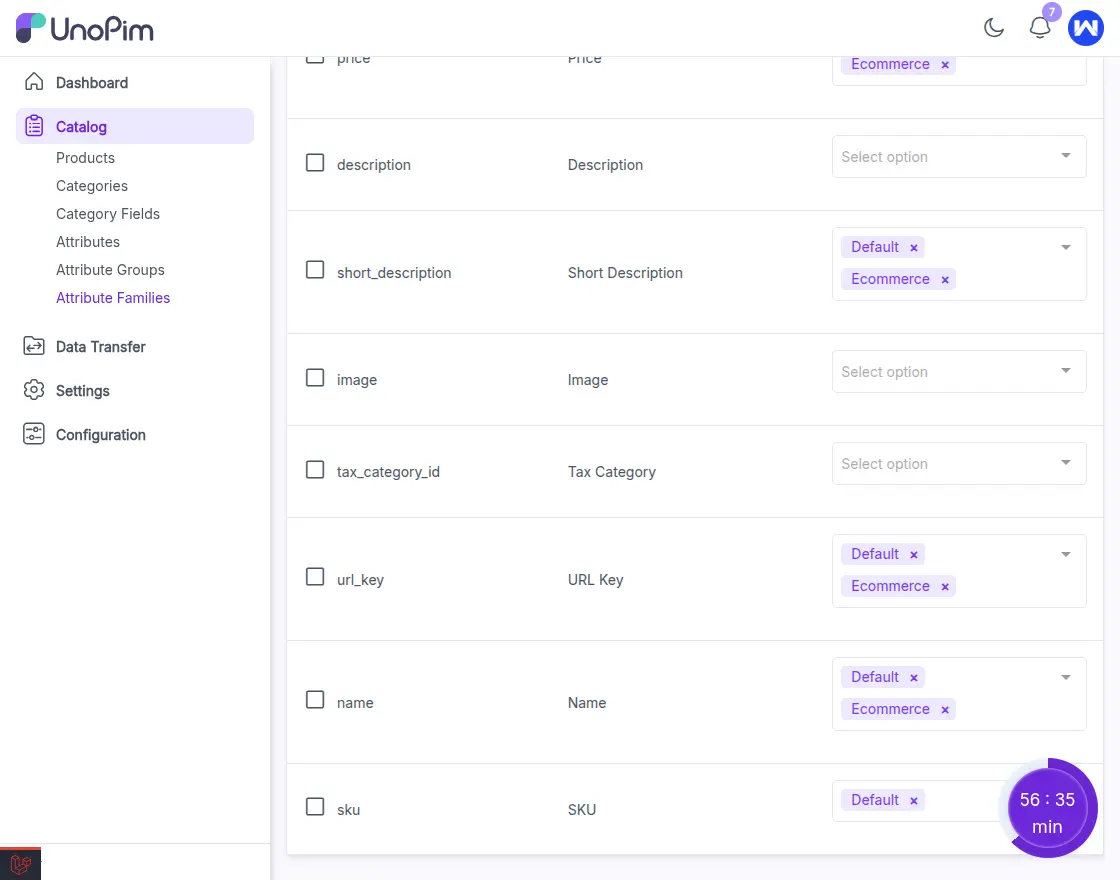
- In the Completeness tab, all assigned attributes appear with a channel selection dropdown.
Here, users can mark which attributes are required for specific channels.
Based on this setup, the PIM automatically calculates the completeness score for each product, reflecting how well its data meets the requirements across all selected channels.
How Product Completeness Works
1. Configure Completeness in Product Attribute Family
Every product in this PIM belongs to an Attribute Family, which defines its structure and required attributes.
Within each family, there is a Completeness tab, where users can mark specific attributes as required for one or multiple channels .
This configuration becomes the foundation for calculating each product’s completeness score.
Example:
If the “New” family has attributes like Name, Weight, Size, and Color marked as required for the “Default” channel, then every product under this family will be evaluated based on those fields.
Configuring Completeness Settings in UnoPim
To configure completeness for your product data , follow these steps:
- Navigate to:
Catalog → Attribute Family - Select the Family:
Find the attribute family used for your product and click the Edit icon. - Open the Completeness Tab:
Go to the Completeness tab . - Set Required Channels:
As shown in the image, use the “Required in Channels” dropdown to select one or more channels where the attribute must be filled for the product to be considered complete.
2. Automatic Completeness Calculation
Once a new product (SKU) is created under a configured family, UnoPim automatically calculates its completeness percentage.
The score is based on the number of required attributes that have valid data.
- Missing or empty fields reduce the score.
- Filled attributes improve the score.
This automatic process eliminates manual review and ensures all product data is validated consistently.
Once a product is created , you can easily track its completeness status directly on the product edit page.
Follow these steps:
- Open any Product:
Navigate to Catalog → Products and click Edit on the desired product. - Check Completeness Indicator:
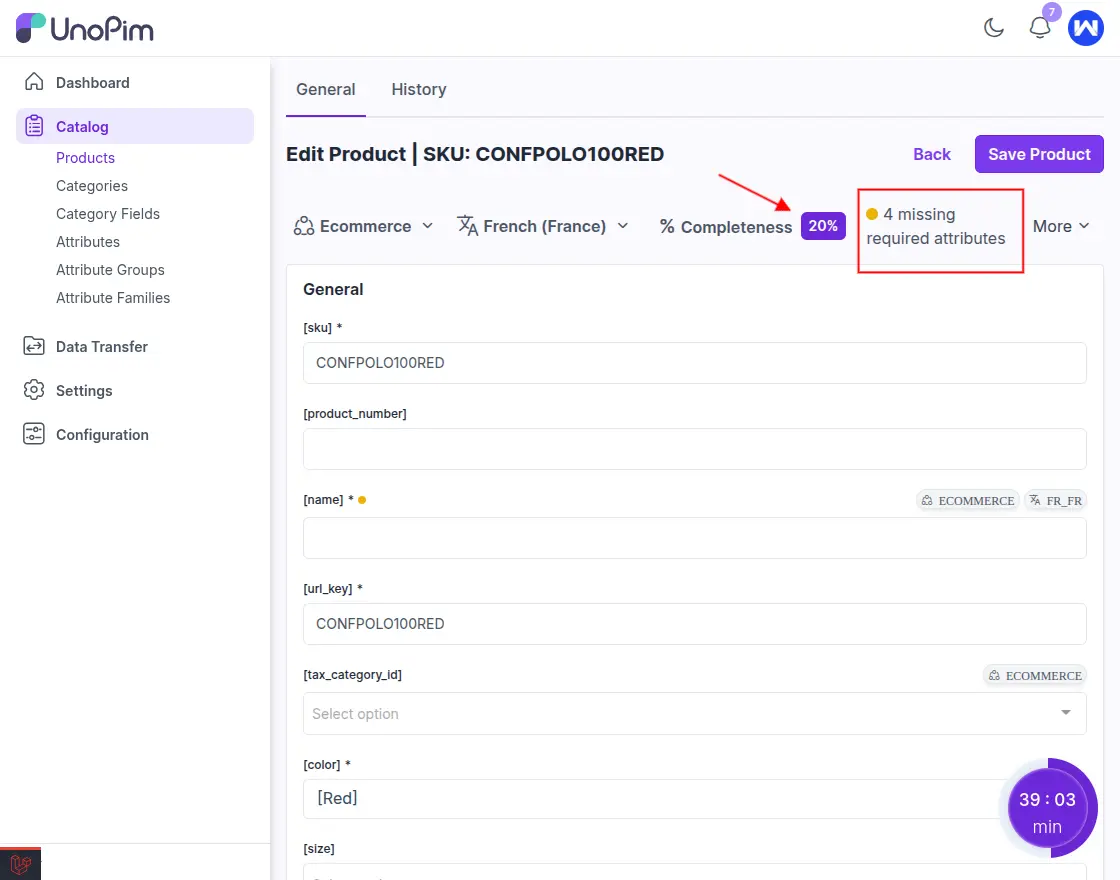
At the top of the product page, the system displays the completeness percentage along with the number of missing required attributes based on the selected channel and locale. - Change Channel or Locale:
Use the Channel and Locale dropdowns to switch views.
UnoPim will instantly recalculate and show:- Updated completeness %
- Count of required attributes missing for that specific channel/locale
- Review Missing Required Fields:
Scroll through the product form to fill in the highlighted missing attributes.
These missing fields are determined by the Completeness configuration set in the Attribute Family settings. - Completeness Updates Automatically:
As you fill in each required attribute:- The completeness score increases
- The list of missing attributes decreases.
As shown in image below, the system displays the Completeness Percentage, the total number of missing required attributes, and a yellow indicator dot whenever some required fields are not filled for the selected channel and locale.
3. Completeness Score on Product Edit Page
On the Product Edit Page, users can monitor the Completeness Percentage .
It displays:
- Average completeness for the product.
- Completeness per locale and channel (e.g., English (United States), Default Channel, etc.).
If any required attributes are missing, UnoPim visually highlights them with a yellow dot beside the attribute field.
This helps users quickly identify incomplete fields and update them. As users fill in the missing information, the completeness score updates instantly, ensuring all required data is complete before publishing.
4. Completeness Overview on Dashboard
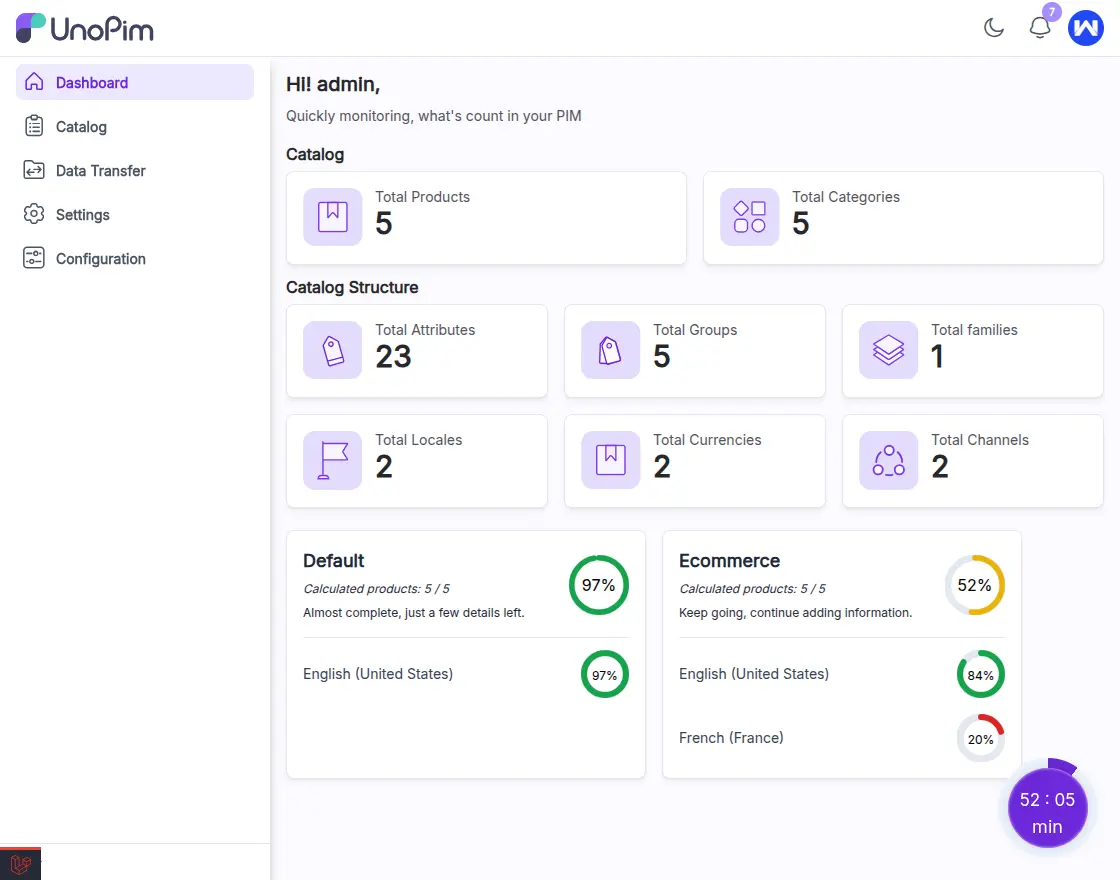
UnoPim’s Dashboard provides a quick overview of completeness across all products for each channel.
You can view:
- Average completeness score for each channel.
- The number of products analyzed for completeness.
- Visual completeness progress indicators (in %).
This dashboard helps teams monitor catalog health, identify incomplete data, and prioritize improvements efficiently.
As shown in the image below, UnoPim’s Dashboard displays completeness scores for each channel along with visual progress rings. It also shows the number of calculated products and completeness percentage per locale for quick catalog health monitoring.
5. Completeness Overview in Product Listing (Grid View)
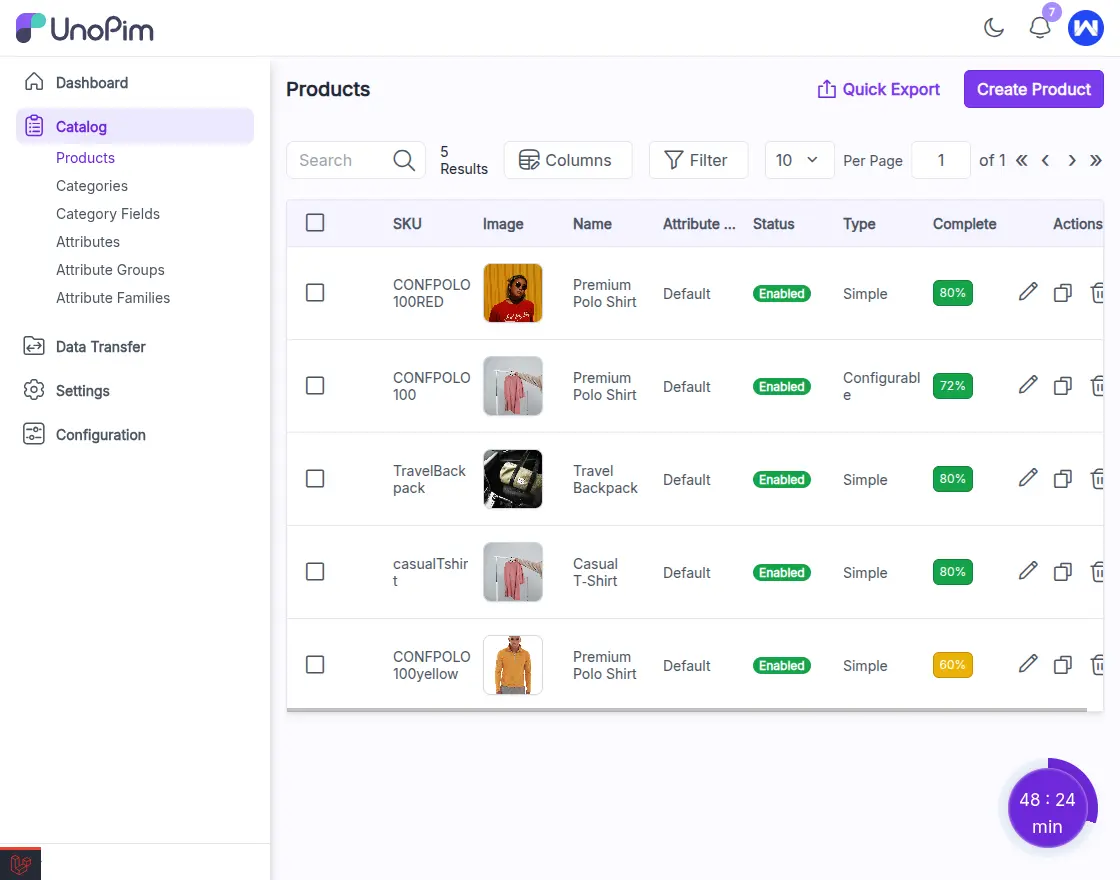
In the Product Grid, UnoPim displays the completeness score for each product, providing a quick snapshot of data readiness across all channels and locales.
To make it more intuitive, UnoPim uses color indicators based on the completeness percentage:
- Green – Score above 70% (well-completed product)
- Yellow – Score between 30% and 70% (partially complete)
- Red – Score below 30% (incomplete product)
This color-based visual cue helps users instantly identify which products need attention, ensuring no incomplete data slips through before publishing.
As shown in the image, the Product Grid displays each product’s average completeness score with color indicators, green, yellow, or red—based on the calculated percentage.
Run the below commands to calculate the product completeness score.
1. Run the system queue worker
php artisan queue:work --queue=system

2. Manually trigger the completeness recalculation job
php artisan unopim:completeness:recalculateBenefits of Product Completeness in UnoPim
- Automated Accuracy: No manual tracking of missing data.
- Multi-Locale Consistency: The system tracks completeness for each channel and loc
- Configurable Family-Based Rules: Customize required attributes per product family.
- Quick Data Insights: Dashboard visibility helps in maintaining high data quality.
- Improved Catalog Quality: Ensures uniform and reliable product information across platforms.
Conclusion
UnoPim’s Automatic Product Completeness Calculation empowers businesses to maintain consistent, complete, and accurate product information across all channels and locales.
By using family-based settings for completeness scores of products, and visual dashboards, it not only simplifies catalog management but also improves product data quality — ensuring every product is ready.
Thanks for reading this blog!!
Stay Connected!! Visit our Support Portal to raise a ticket anytime.


Be the first to comment.